macOS · USB-C · MTP Protocol

Transfer files from
your DJI RC2
directly to Mac.

macOS doesn't support MTP — the protocol your DJI RC2 uses for file transfer. RC Mounter gives you instant USB access to flight records, screenshots, movies, and waypoint missions — no DJI Fly, no drivers, no workarounds.
macOS 14+ Sonoma or later
100% Native Pure Swift · IOKit
Zero Dependencies
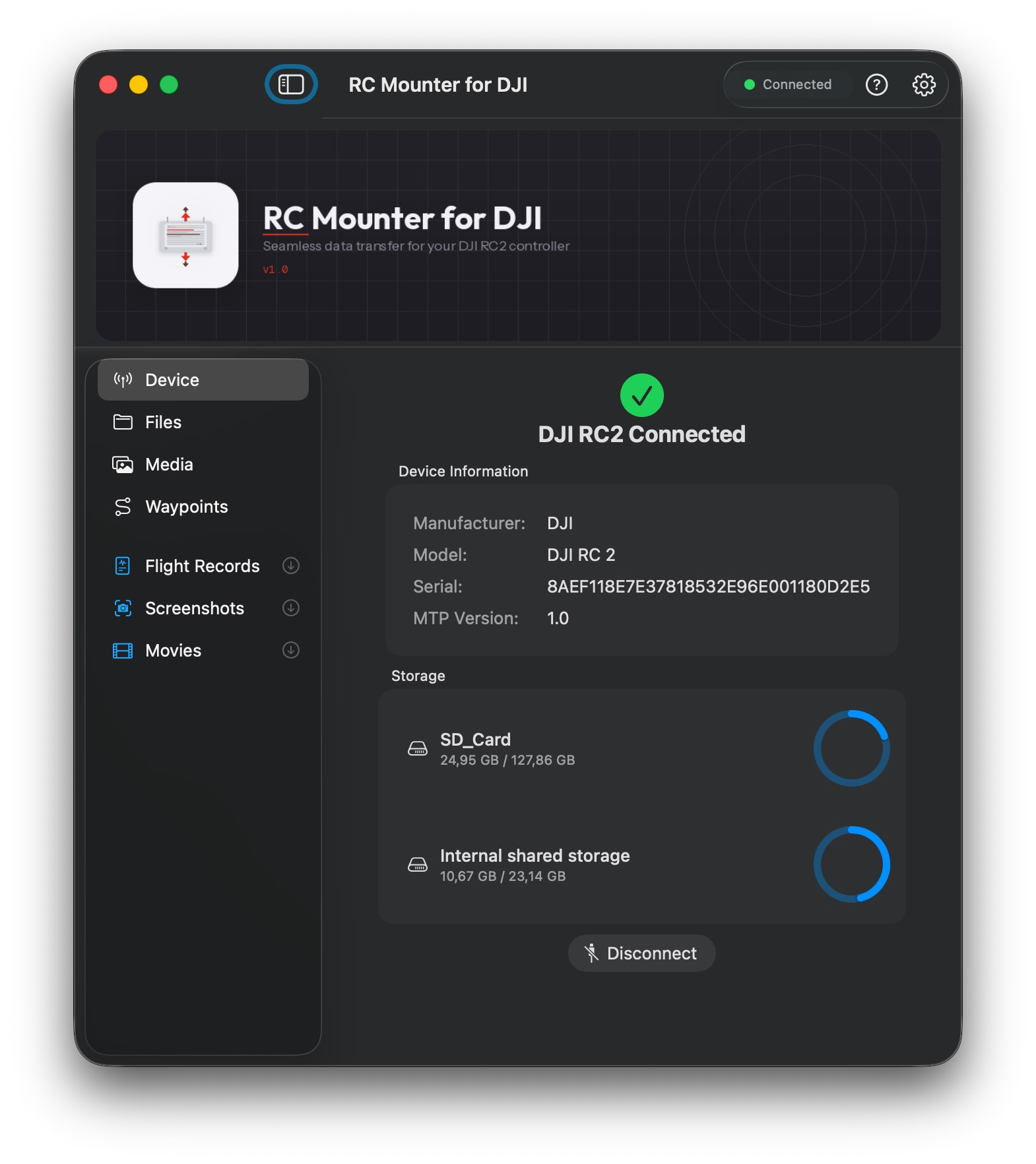
RC Mounter for DJI — Device tab showing DJI RC2 connected via USB with storage information on macOS
Capabilities

DJI RC2 to Mac —
file transfer made simple.

Built in pure Swift with IOKit for direct USB bulk transfers. No DJI SDK. No background processes. No cloud.

Direct USB Access

Communicates with the RC2 over MTP via IOKit bulk pipes. No middleware, no cloud sync, no DJI software needed.
// IOKit · Bulk Transfer

One-Click Downloads

Sidebar buttons for Flight Records, Screenshots, and Movies. Files already on your Mac are automatically skipped.
// Smart deduplication
🖼

Media Browser

Browse media on the device or local download folders in grid or list view, with live thumbnails and Quick Look previews.
// Grid · List · Thumbnails
📍

Waypoint Manager

Browse mission files on the RC2. Drag a new KMZ from Finder to replace a mission in-place with a single gesture.
// Drag-and-drop KMZ
💾

Dual Storage

Switch between Internal Storage and SD Card instantly. All operations — browse, download, delete — work across both volumes.
// Internal · SD Card
📂

Finder Mounting

Mount the RC2's filesystem as a native volume in Finder via NSFileProvider. Browse and open files like an external drive.
// NSFileProvider · Advanced
Media Browser

Browse, preview &
delete on-device.

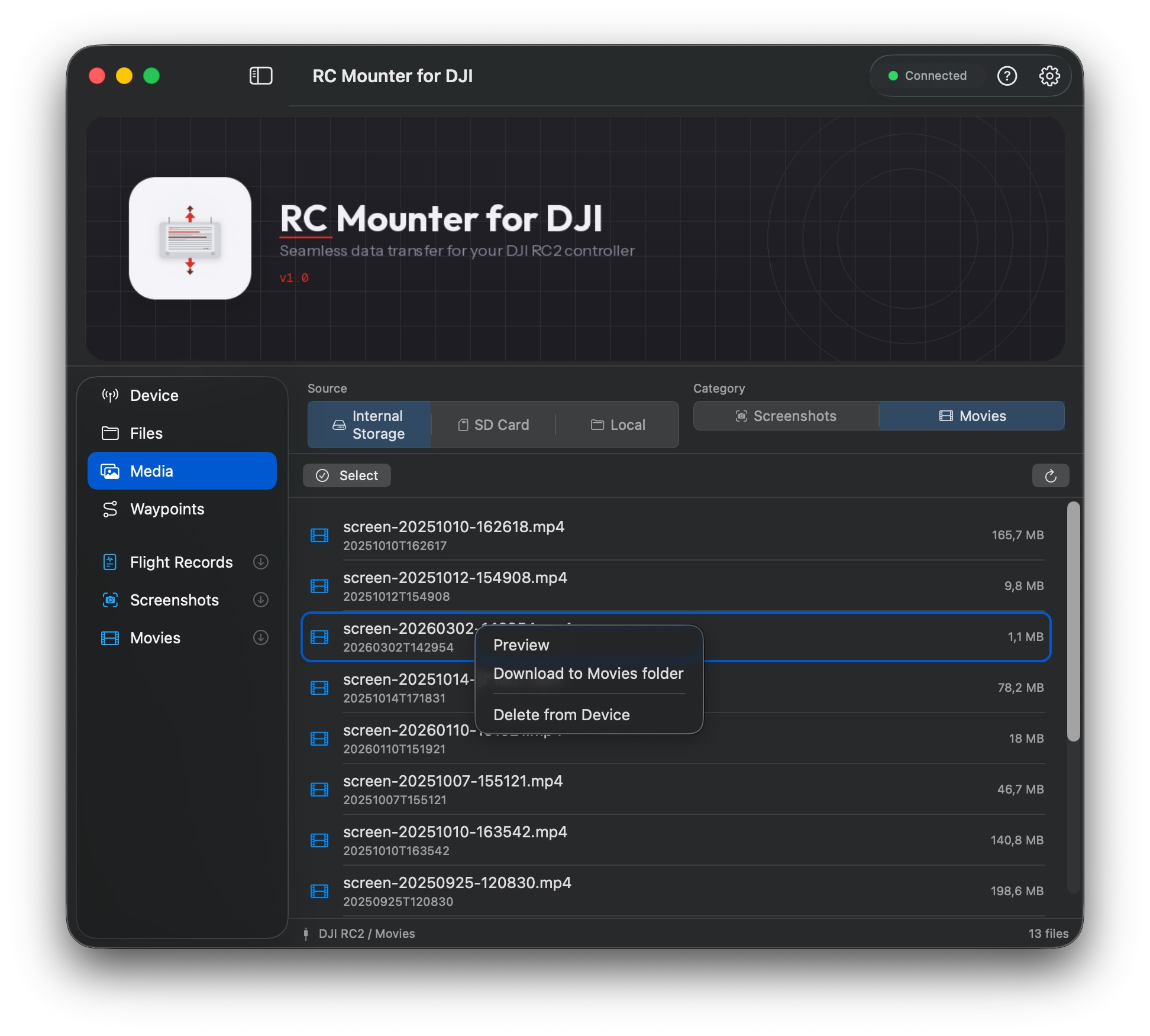
Switch between Internal Storage and SD Card. Right-click any file to preview it, download it, or delete it straight off the RC2 — no download required.

  • Right-click context menu — Preview, Download, Delete
  • Multi-select & bulk delete — clean up storage fast
  • Source picker — Internal Storage, SD Card, or Local
  • Live file list — filename, date, and size at a glance
RC Mounter for DJI — Media browser showing DJI RC2 movies with right-click download and delete options
How it works

Three steps.
Full access.

1
Plug In
Connect your DJI RC2 to your Mac with a USB-C data cable. RC Mounter detects it automatically and opens an MTP session.
USB-C → Mac
2
Browse
Explore the full file system — flight logs, media, waypoints, across internal storage and SD card — in a native macOS interface.
MTP · Direct browse
3
Download
Click a sidebar button, choose a destination. Files transfer at full USB speed and existing files are automatically skipped.
Skips duplicates
Requirements

What you need
to get started.

A Mac, a cable, and a DJI RC2. That's it.

RC Mounter For DJI

Ready to take control?

Download RC Mounter and start transferring files from your DJI RC2 to your Mac in seconds. First 10 downloads are free.

macOS 14 Sonoma+  ·  No account required